
Journal as source
Only approved rows are summed. Draft, cancelled and other companies’ lines never enter a statement.
An approved journal, account mapping and note registers become IAS 1 financial statements. Real-estate and construction projects — sites, sales and receivables — are optional add-ons in the same application.
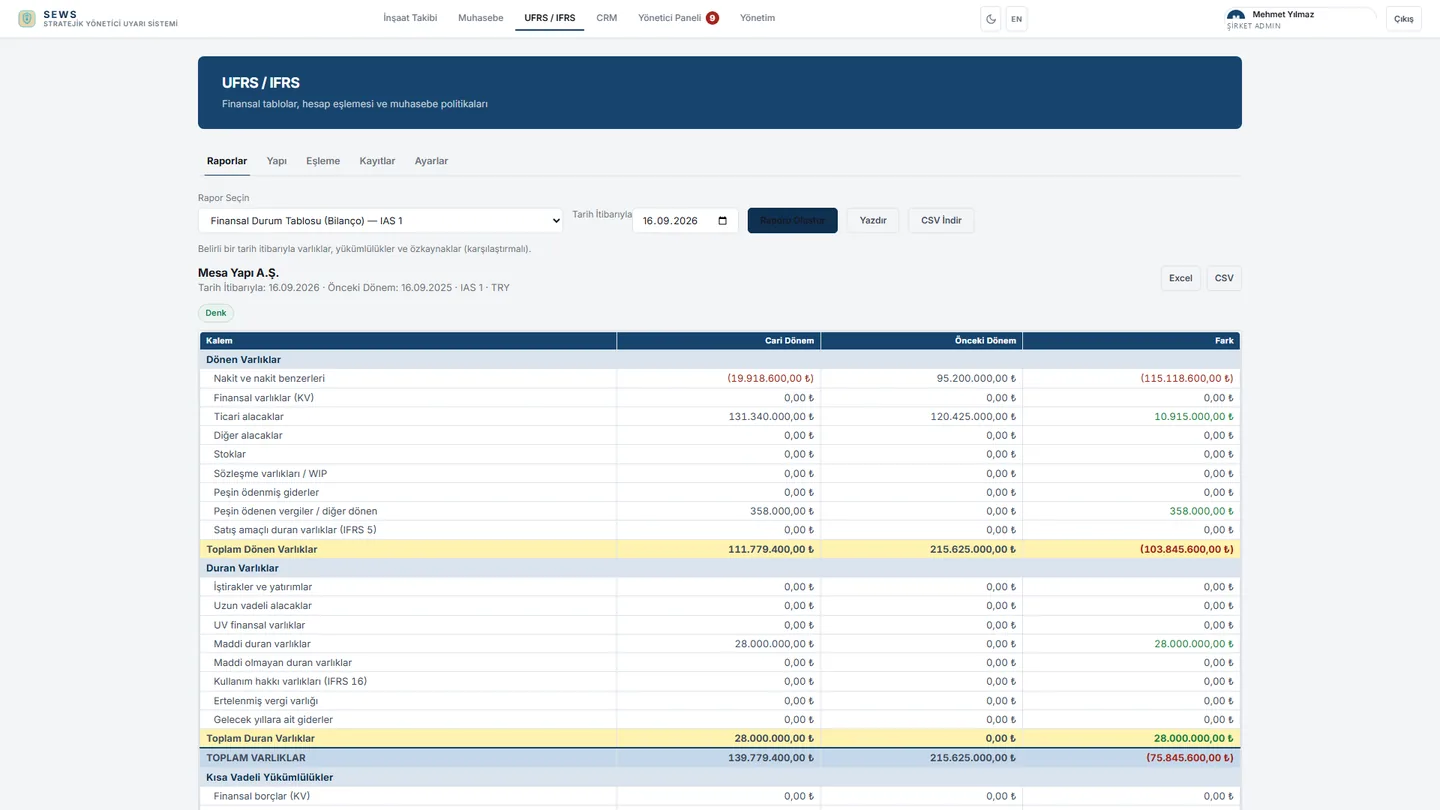
Statement of financial position, income, equity, cash flow and notes come from the chart of accounts and the journal. You buy this package directly.
Account groups, per-account lines and ERP mapping do not count the same balance twice.
Inventory, sales projection, receivables and executive warnings sit in one application.
SEWS is IFRS software. The chart of accounts, approved journal, account mapping, note registers and IAS 1 financial statements are in the package. A separate spreadsheet model is not required. Real-estate and construction projects — sites, unit inventory, fractional sales, sales projection, receivables and the sales team — are optional add-ons in the same application.
The IFRS package is sold on its own; that package is enough. The interface is Turkish, English and German. TCMB inflation and FX series feed the inflation screens.
Approved journal balances pass three rules: account group, account line, ERP mapping. The mapping screen shows which account lands on which caption and how many codes are still empty. The statement is that mapping’s result, not a separate model.
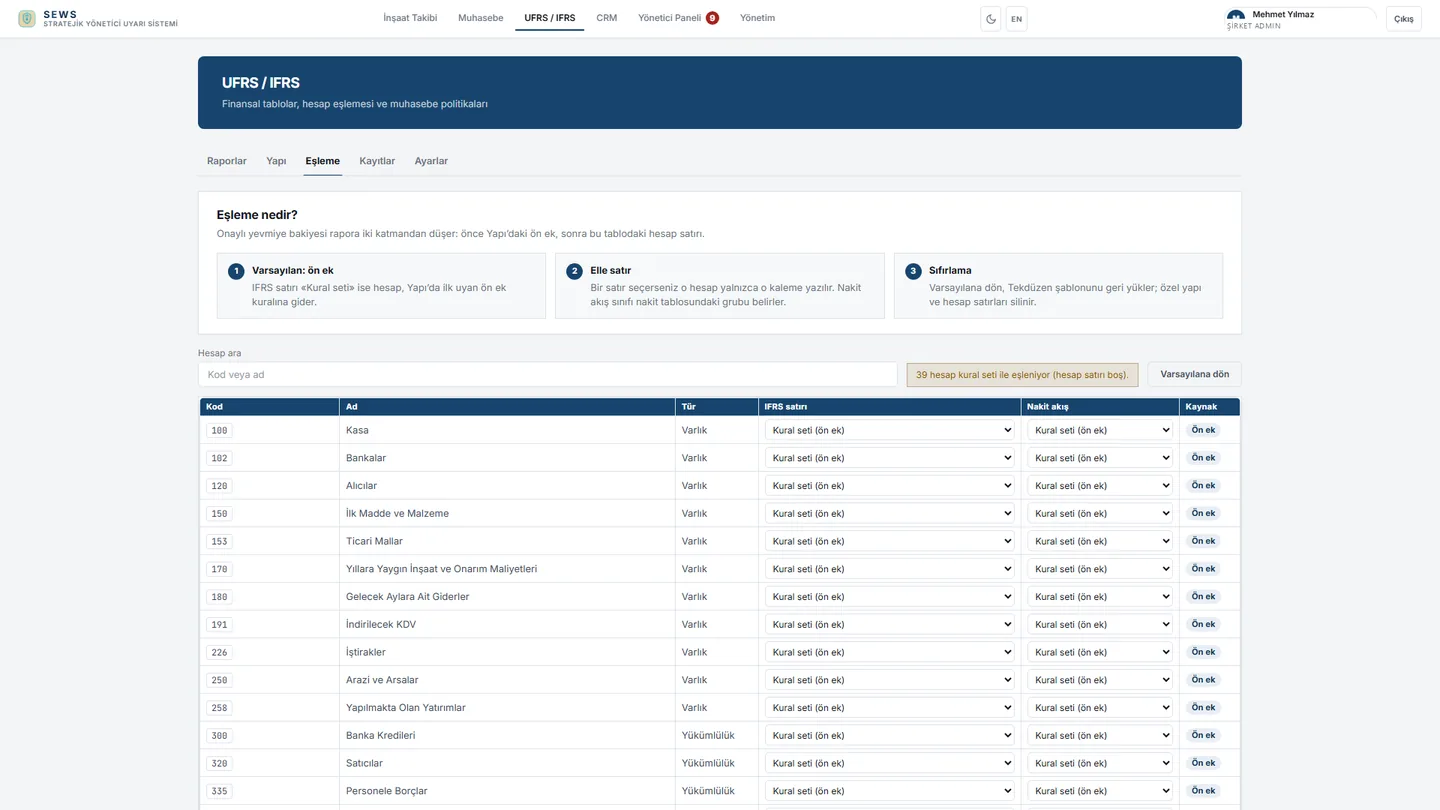
Only approved rows are summed. Draft, cancelled and other companies’ lines never enter a statement.
Each account gets an IFRS line and a cash-flow group. The unmapped count stays on the screen.
If a SAP account is not on your chart, mapping comes from the ERP. If your account already has a line, that line is kept.
Nested account groups are excluded. The same balance cannot be both income and other income.
Screens use sample company data. Mapping rules belong to your company and are not copied to another company.
IAS 1 statement of financial position, income, OCI, equity and cash flow, plus notes even when registers are empty. The package is sold on its own.
Captions are held in Turkish, English and German. Account groups, per-account lines and ERP mapping run in order. The same amount is not written to two captions.
Asset, lease, fair-value, discontinued-operation, related-party, tax and adjustment books feed the notes. Rows from an ERP update by their own code.
Journal and trial-balance posts carry document number, account code and period. The same document is not posted twice. Unmapped accounts are not invented.
Blocks, floors and unit status; fractional sales; list prices and increase history. Cancelling a sale unwinds the receivable and commission.
Interest-free present value with inflation. Monthly counts, cash split and Excel import live on the same plan.
Uniform chart of accounts, approved journal, invoices and payroll. Instalment plans from sales; aging and collection forecast.
Portfolio health scores and alerts. The AI assistant reads your company’s live data. External systems connect through a secure API.
Double-entry rows do not stay in draft. IFRS reads only approved balances; draft lines never enter a statement.
Account groups first, then the account line, then ERP mapping. The same amount is not written to two captions; unmapped codes stay visible.
Note books complete the journal. An empty book does not block the report; the amount stays zero.
IAS 1 statements, cash flow and notes are produced with a comparative period. Excel, CSV and print come from the same screen.
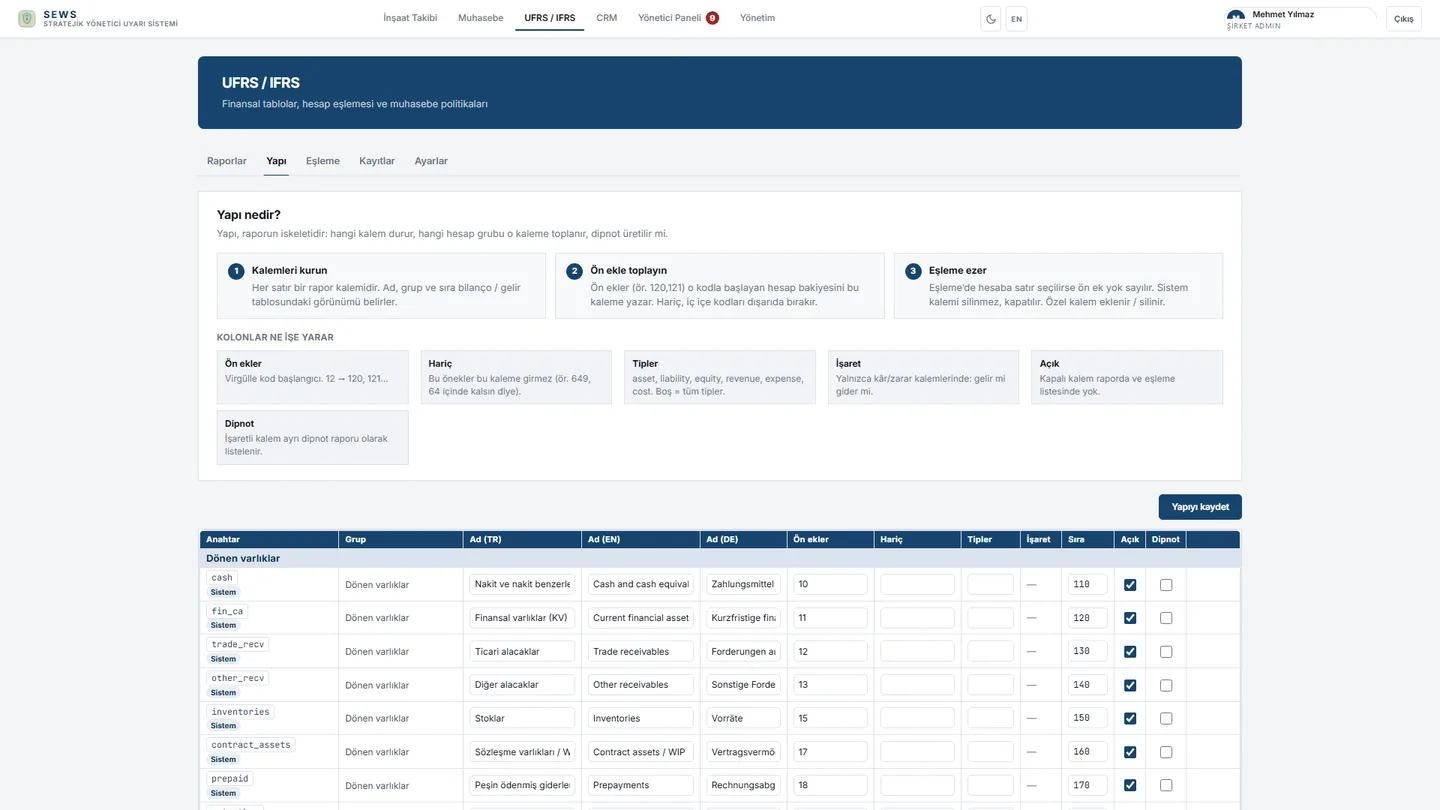
Which caption sums which account group, which row stays on the face of the report, which row produces a note. Captions are held in three languages.
Enlarge screen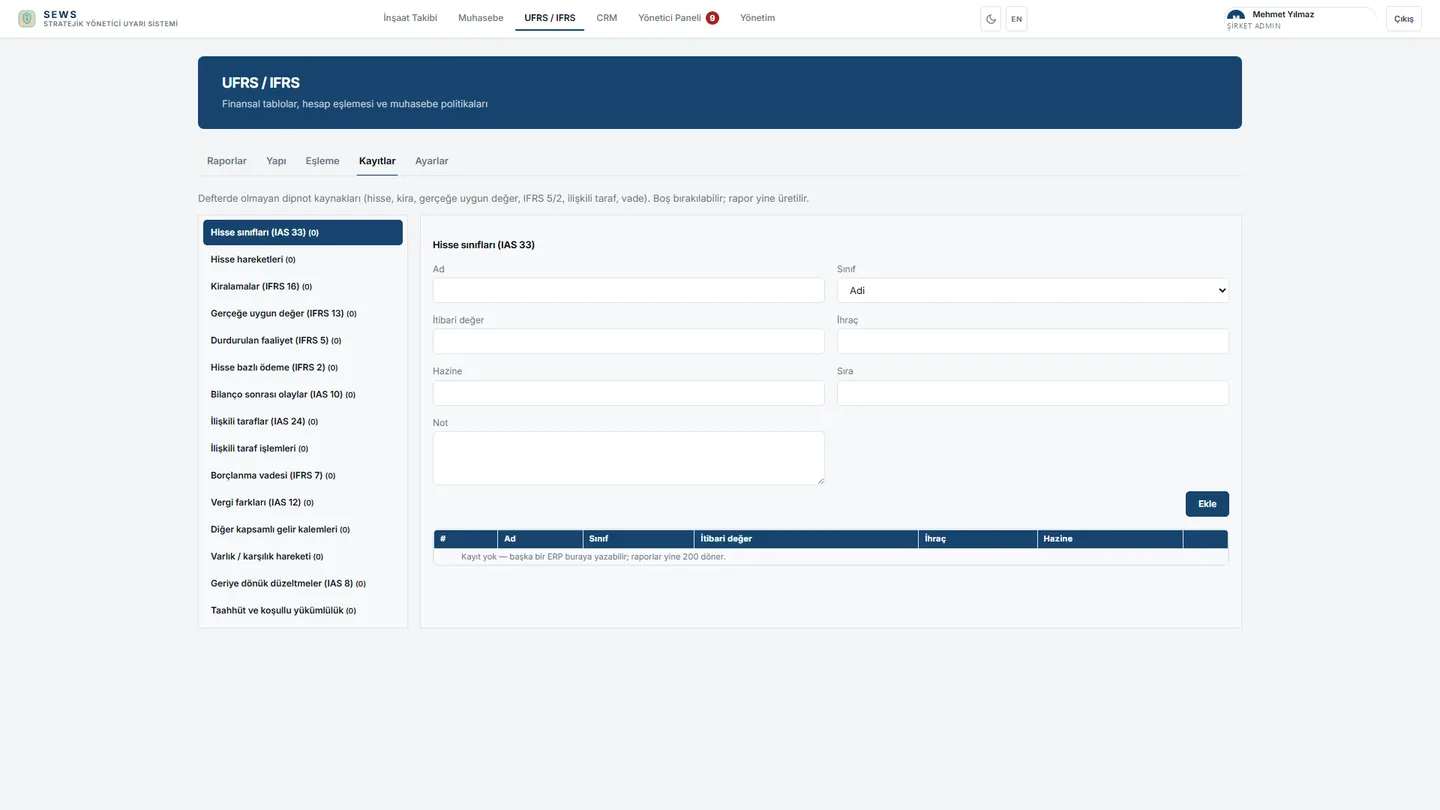
Share classes, leases, fair value, discontinued operations and related parties. If a book is empty the report is still produced.
Enlarge screen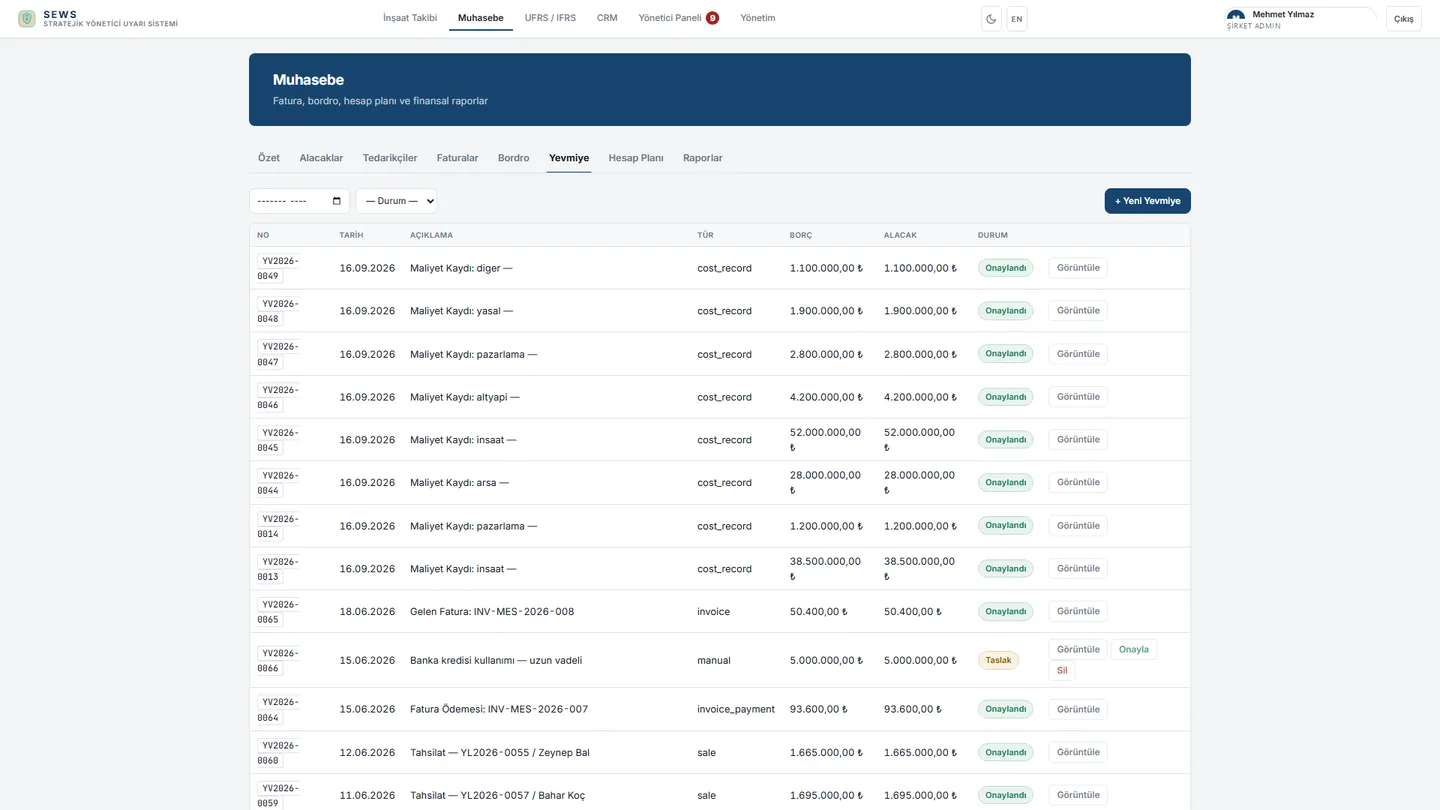
Double-entry lines, document numbers and approval. This is the only numeric source for IFRS statements.
Enlarge screen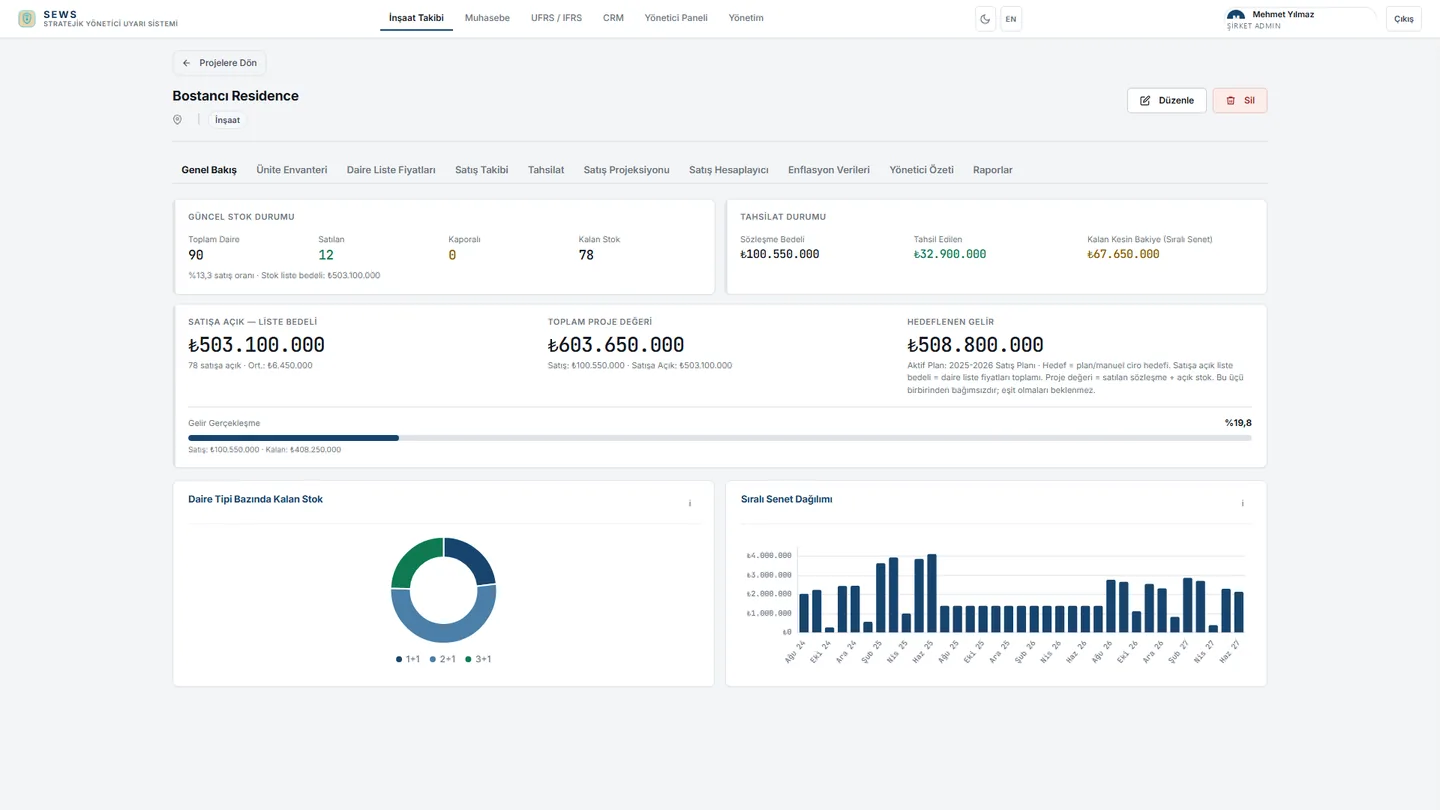
Stock, contracts, collections and project value on one summary. Operational visibility sits apart from IFRS.
Enlarge screen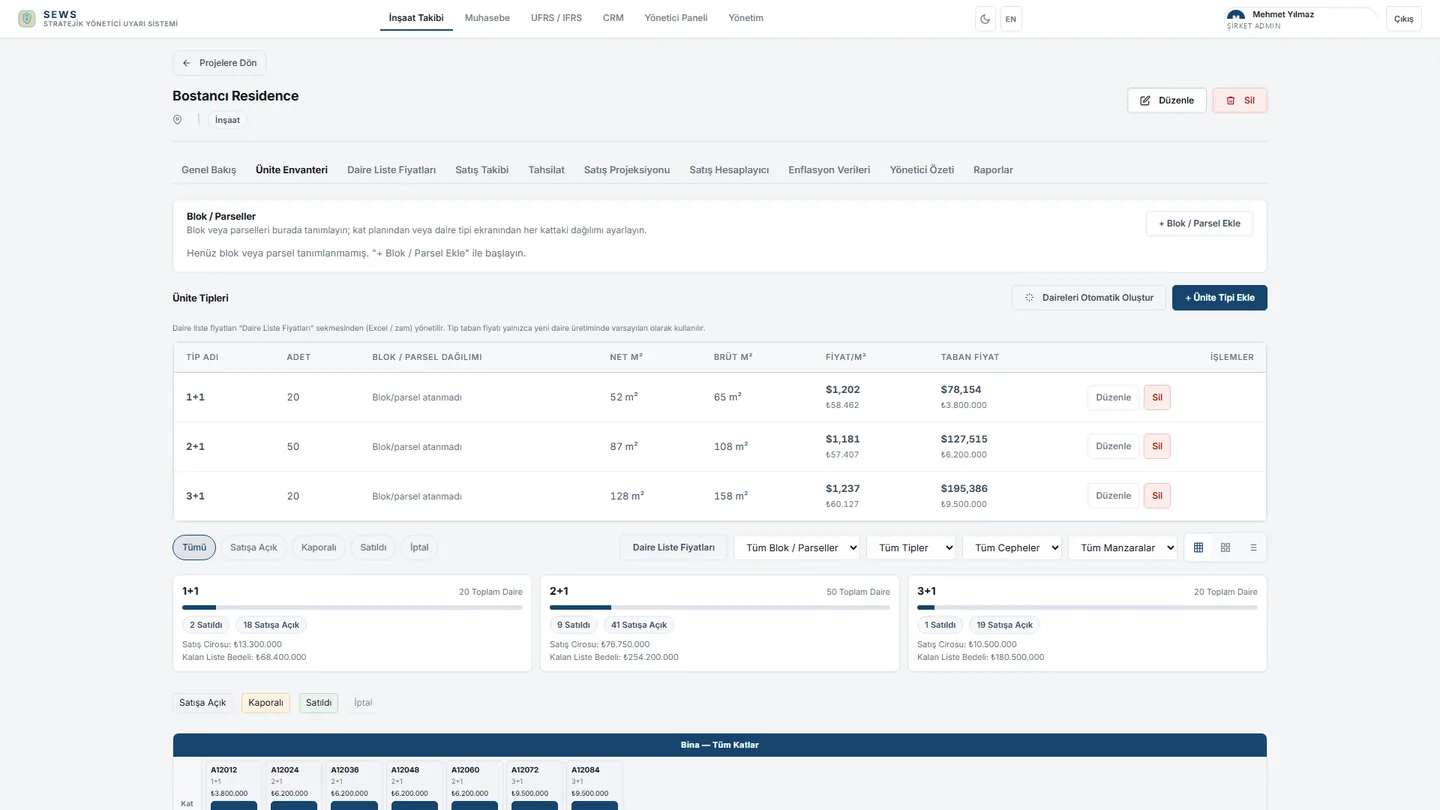
Status, price and fractional sales by block and floor. Sold units are separated from open stock.
Enlarge screen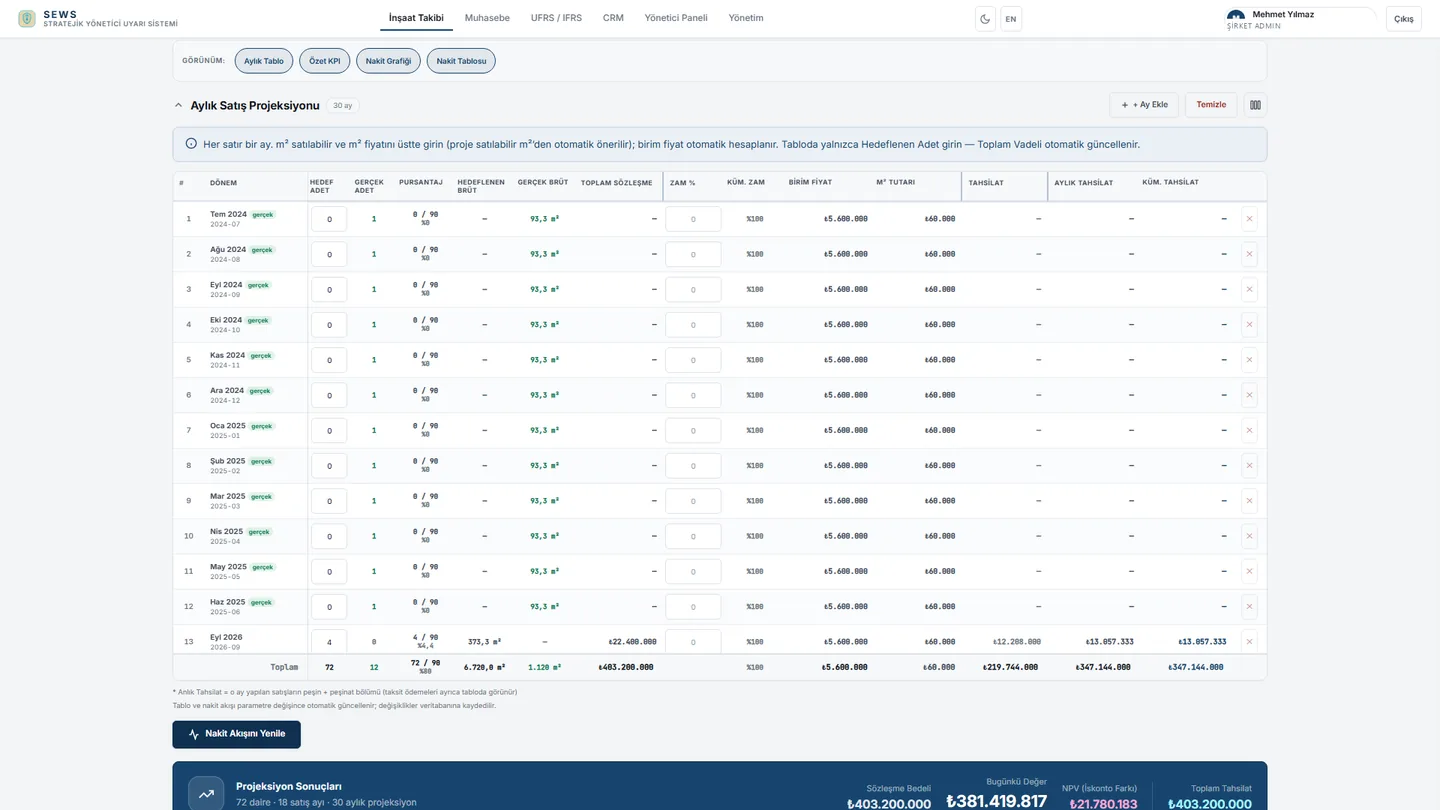
Monthly counts are entered; amounts, cash and inflation present value are calculated. Interest is not added.
Enlarge screen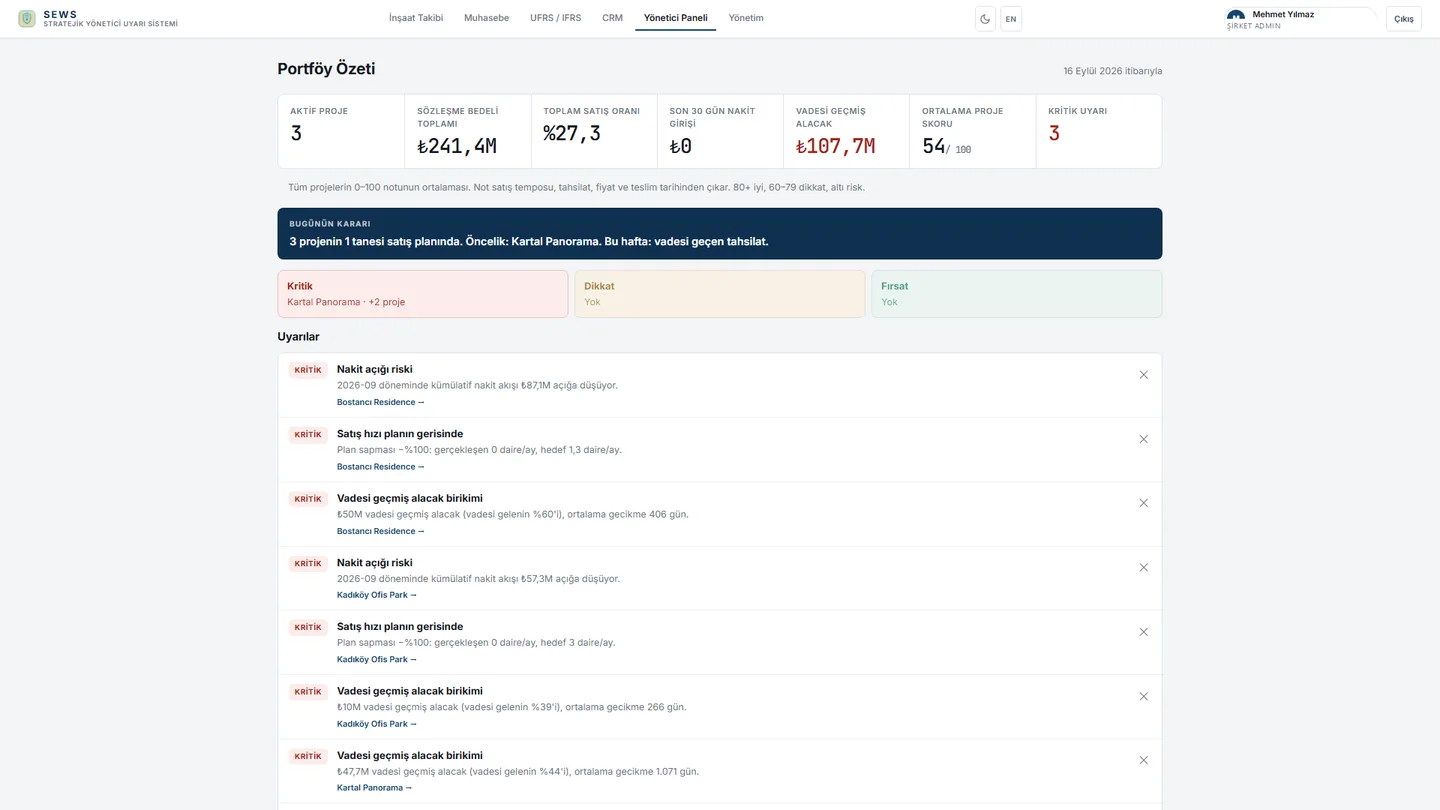
Portfolio health scores and critical alerts. Decision makers see risk without waiting for the IFRS pack.
Enlarge screen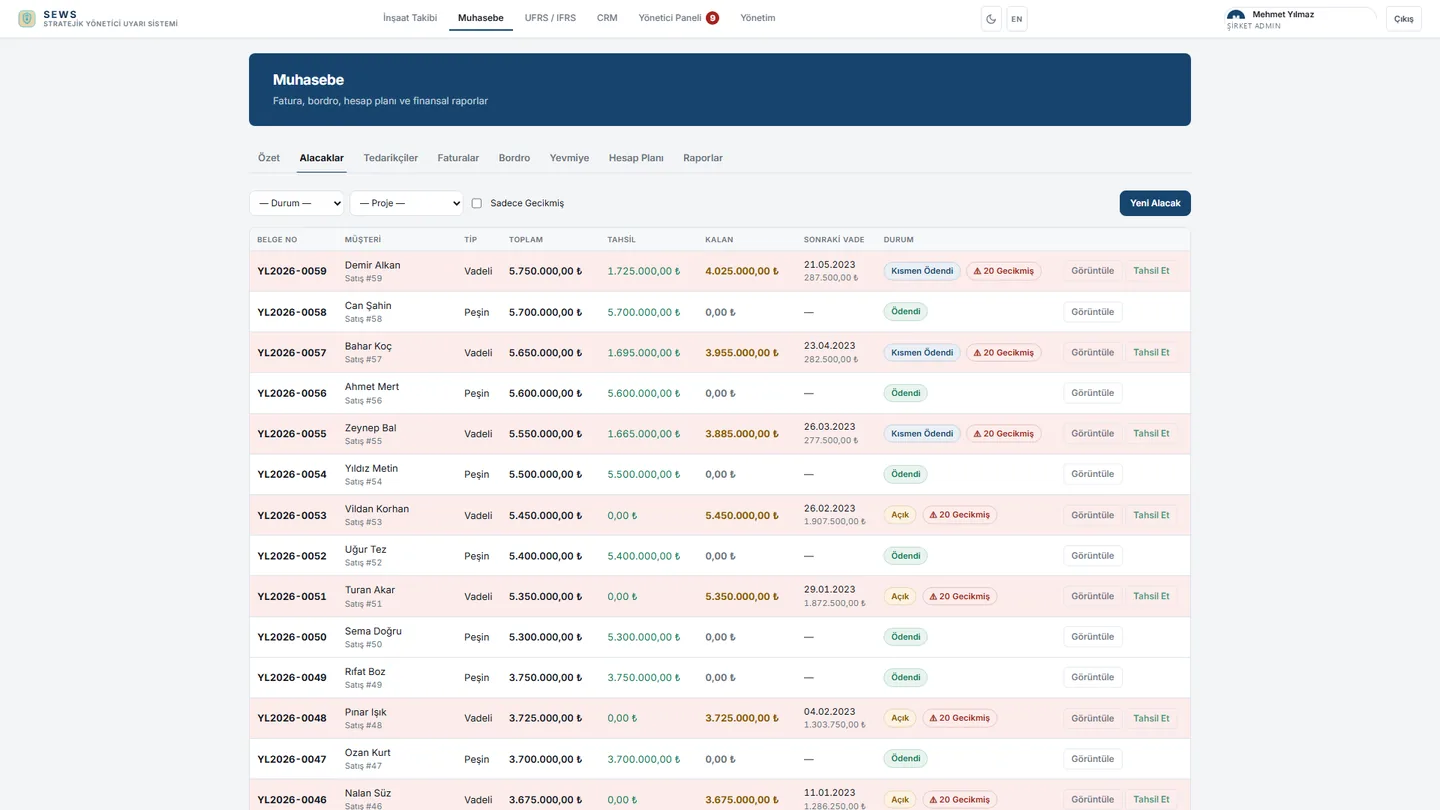
Sale-linked instalment plans, collections and remaining balance. IFRS trade receivables draw from the same record.
Enlarge screenEach company works with its own chart of accounts, IFRS structure and note books. The package is opened for your company; permissions are given per user. The IFRS package is purchased directly; sites and sales are optional add-ons.
The IFRS package is sold on its own. Sites, accounting, receivables and the executive panel are optional add-ons.
Admin, salesperson and user permissions are split. Each company sees only its own data.
Scope, chart-of-accounts transfer and the ERP connection are set in the proposal.
SEWS produces UFRS / IFRS financial statements from the approved journal. The IAS 1 complete set, notes and account mapping are in the package. Real-estate and construction project operations are optional add-ons.
It is a management application for real-estate and construction companies. The IFRS complete set is sold as its own package. Sites, sales, accounting, receivables, the sales team and executive warnings are optional add-ons in the same application.
Yes. IFRS is a separate package: chart of accounts, journal, mapping, note registers and the IAS 1 complete set. Sites, sales and receivables are optional add-ons; they are not required for IFRS.
Yes, optionally. Sites, unit inventory, sales projection and receivables can be added in the same application. IFRS software does not depend on them; you can take it for financial statements alone.
There are three steps. Uniform account groups supply the default sum. An IFRS line written on the account overrides that. If an ERP code is not on your chart, mapping comes from the ERP. Nested codes are not counted twice.
Yes. Journal or trial-balance posts carry source system, document number, account code and period. The same document is not posted again. Unmapped accounts are not auto-created; they stay on the mapping screen. Note books update by the external system’s code.
The IAS 1 complete set (financial position, income, OCI, equity, cash flow) and notes. Leases, fair value, discontinued operations, impairment, borrowing costs, foreign exchange, dividends and liquidity notes are backed by registers. An empty note does not block the report.
No. Each company sees only its own records. Permissions split across admin, salesperson and user. Packages are opened per company; screens can be narrowed per user.
The interface is Turkish, English and German. IFRS captions are stored in all three. TCMB inflation and FX series write to the inflation screens. IFRS statements use the approved journal currency.
We can talk through your company, chart of accounts and reporting period. On a sample journal we review mapping, notes and the IAS 1 output together.